

 Shop all Arturia
Arturia AudioFuse 16Rig USB Audio Interface
In Stock
Free Next-Day Air
Est. delivery by Thu, Sep 24

 Shop all Zoom
Find car audio installers near you, ratings, phone, and directions.
These are made to work together, add them to your cart in one click.
 This item
Zoom GCE-3 Guitar Lab USB Audio Interface
$99.99
This item
Zoom GCE-3 Guitar Lab USB Audio Interface
$99.99
 V-MODA FRZ-A-BLACK Forza Android In-Ear Headphones
$23.99
V-MODA FRZ-A-BLACK Forza Android In-Ear Headphones
$23.99
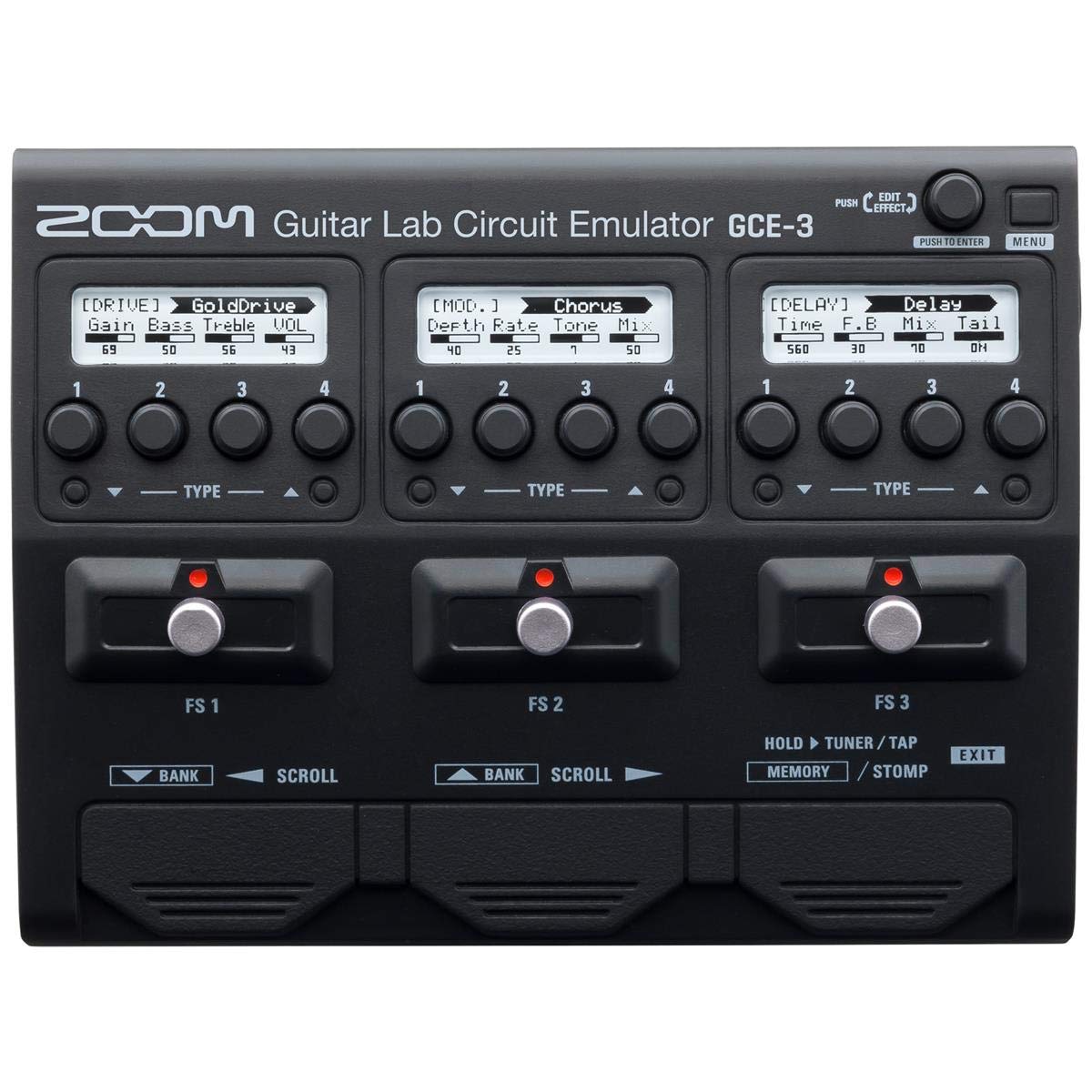
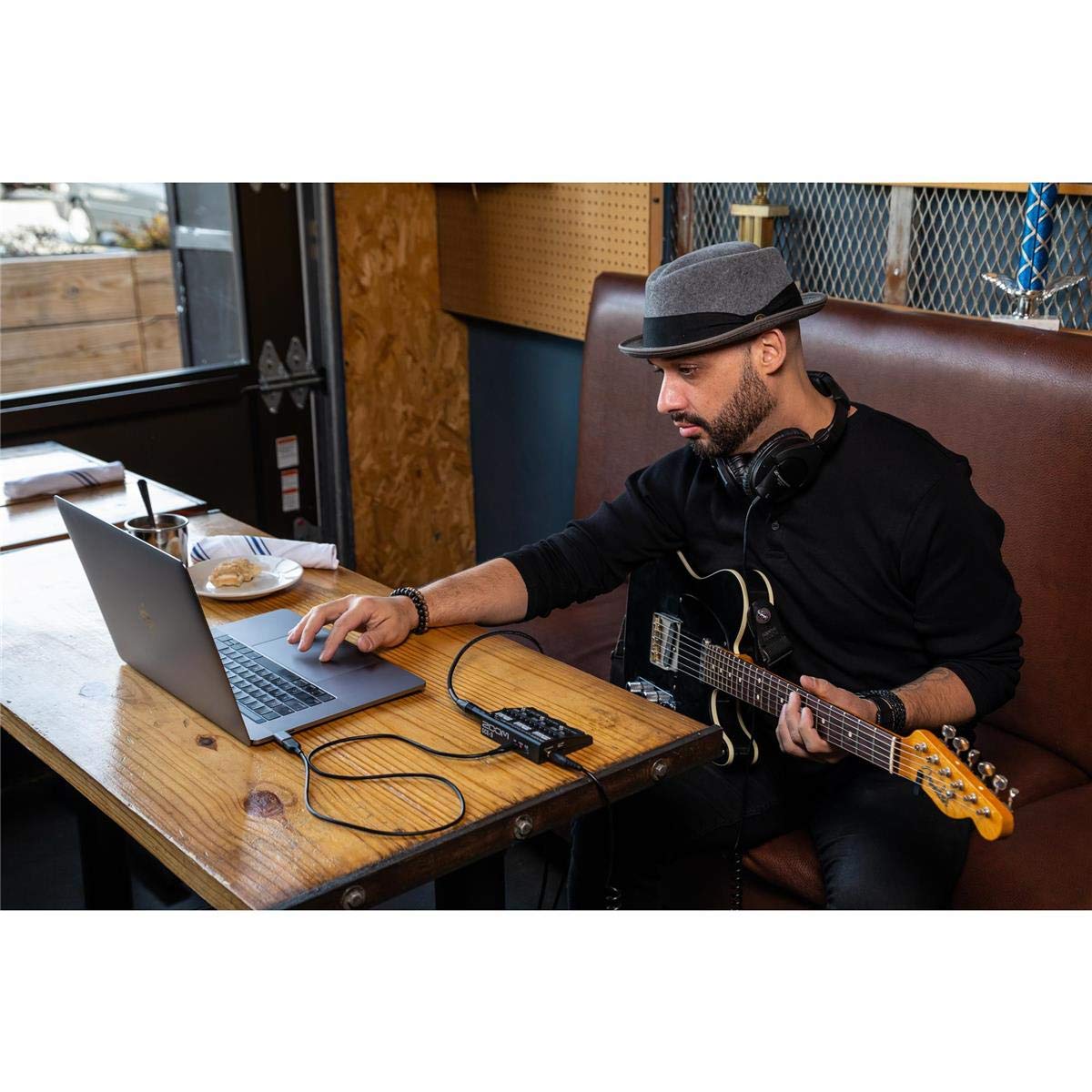
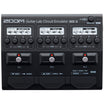
The Zoom GCE-3 is a compact USB audio interface and Guitar Lab Circuit Emulator for guitarists and bassists who want to record, practice, and shape tones from a computer. It connects an instrument directly to a Mac or Windows computer while providing access to compatible Zoom Guitar Lab effects, amp models, cabinets, and patches. Its small footprint makes it practical for desktop recording setups, travel rigs, and personal practice stations.
Designed for players who prefer software-based tone building without relying solely on a conventional plug-in chain, the GCE-3 uses built-in DSP to emulate supported Zoom G-Series and B-Series processor environments. Guitar Lab is used to create, edit, organize, and manage patches. The result is a focused interface for exploring Zoom-style guitar and bass tones while recording in real time.
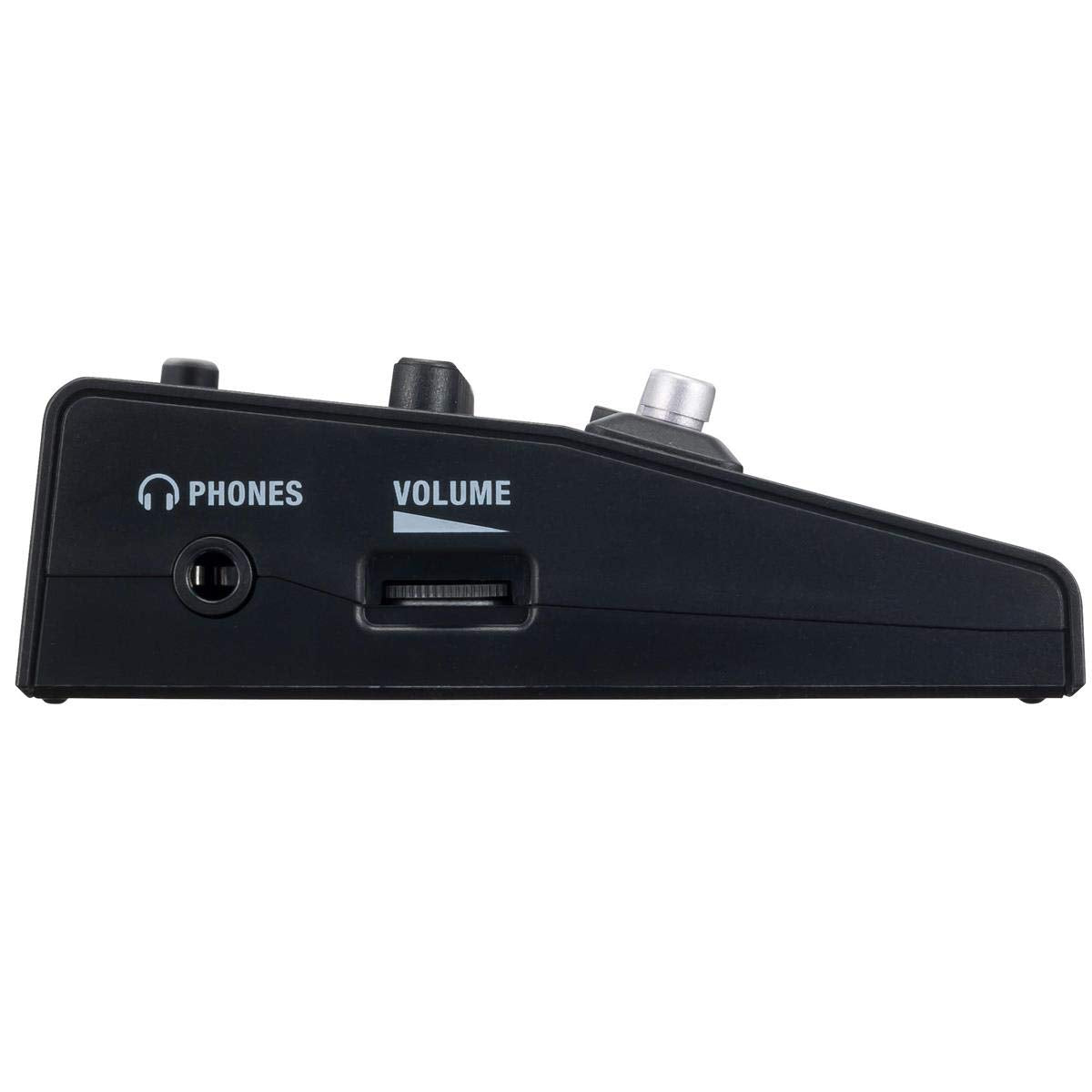
The GCE-3 supports 44.1 kHz audio operation with 24-bit A/D and D/A conversion and 32-bit signal processing. Its instrument input is tailored for a standard guitar or bass cable, while the headphone output provides direct personal monitoring. A dedicated volume dial makes it easy to set headphone level at the unit.
For practice, the stereo AUX IN accepts an external music source such as a smartphone or music player. This lets players hear backing tracks through connected headphones while playing along, without sending the AUX IN signal to the computer. It is a useful arrangement for quiet rehearsal, learning songs, and tracking guitar parts over a separate computer session.
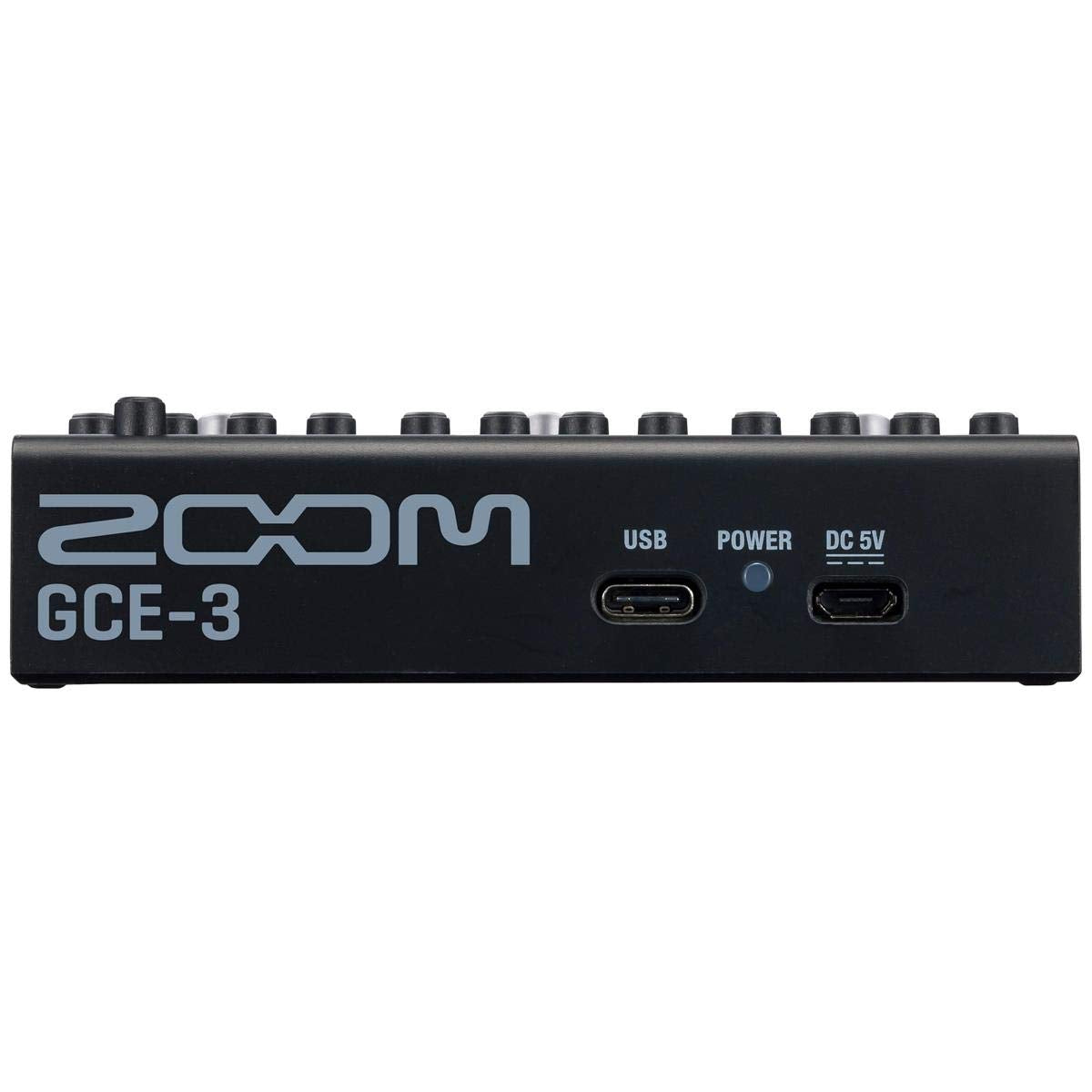
Connection to a computer is handled through the USB Type-C port, which can also provide bus power. The GCE-3 can additionally be powered from a 5V DC source through its Micro-B power connector when needed. It fits naturally into a computer-based recording path: instrument into the GCE-3, Guitar Lab for effects management, headphones for monitoring, and a compatible recording application for capture.
The GCE-3 is a lightweight, pocket-sized interface measuring 80 mm deep, 106 mm wide, and 29 mm high. Its layout places the instrument and AUX IN connections on one side, with the headphone output and volume control on the other. A power indicator shows operating and computer-connection status, and a non-slip pad is included for stable desktop placement.
Connect a guitar or bass to the standard INPUT jack, then connect headphones to the PHONES jack for monitoring. Use the supplied Type-A-to-Type-C USB cable to connect directly to a compatible computer, install Guitar Lab, and install the Zoom driver when using Windows. For external backing audio, connect a stereo source to AUX IN; that signal is routed to the headphone output rather than recorded to the computer.
| Brand | Zoom |
|---|---|
| Model | GCE-3 |
| UPC | 884354020361 |
| Product Type | Guitar Lab Circuit Emulator / USB audio interface |
| Sampling Frequency | 44.1 kHz |
| A/D Conversion | 24-bit, 128× oversampling |
| D/A Conversion | 24-bit, 128× oversampling |
| Signal Processing | 32-bit |
| Instrument Input Connector | Standard mono phone jack |
| Instrument Input Rated Level | -20 dBu |
| Instrument Input Impedance | 470 kΩ |
| AUX IN Connector | Stereo mini jack |
| AUX IN Rated Level | -10 dBu |
| AUX IN Input Impedance | 1 kΩ |
| AUX IN Computer Routing | Not sent to computer |
| Headphone Output Connector | Stereo mini jack |
| Headphone Maximum Output | 15 mW + 15 mW |
| Headphone Output Load | Typical into 32 Ω |
| Input Signal-to-Noise Ratio | 120 dB typical |
| Residual Noise Floor | -96 dBu typical |
| Computer Connection | USB Type-C |
| USB Standard | USB 2.0 |
| USB Power | USB bus power via Type-C |
| External Power | 5V DC power supply |
| External Power Connector | Micro-B |
| Depth | 80 mm |
| Width | 106 mm |
| Height | 29 mm |
| Weight | 90 g |
| Windows Compatibility | Windows 8.1, 10, and 11; 32-bit/64-bit |
| Windows CPU Requirement | Intel Core i3 or faster |
| Windows USB Requirement | USB 3.0 or USB 2.0 |
| Mac Compatibility | Mac OS X 10.11 through macOS 15 |
| Mac CPU Requirement | Intel Core i3 or faster |
| Mac USB Requirement | USB 3.0 or USB 2.0 |
| Mac Driver | Not required |
| Effects Management Software | Zoom Guitar Lab for Mac/Windows |
| DSP Function | Circuit emulation of compatible Zoom G-Series and B-Series processors |
| Supported Emulated Models | G5n, G3n, G3Xn, B3n, G1 FOUR, G1X FOUR, B1 FOUR, and B1X FOUR |
| Patch Clipboard | Memorizes up to four effects with custom parameters |
| Included Item | GCE-3 Guitar Lab Circuit Emulator |
| Included USB Cable | Type-A to Type-C |
| Included Accessory | Non-slip pad |
| Included Documentation | Operation manual |
| Reference Level | 0 dBu = 0.775 V |
Yes. The INPUT is a standard mono phone jack for connecting a guitar or bass with a standard instrument cable. Its rated input level is -20 dBu.
Yes. Zoom lists Windows 8.1, 10, and 11, plus Mac OS X 10.11 through macOS 15, subject to the published system requirements. A driver is not required for Mac operation, while Zoom provides a Windows driver.
Yes. Connect a phone, music player, or other stereo source to the AUX IN jack. AUX IN audio is sent directly to the headphone output and is not sent to the computer.
The package includes the GCE-3 Guitar Lab Circuit Emulator, a non-slip pad, a Type-A-to-Type-C USB cable, and an operation manual. Guitar Lab software is available as a download.
It can run from USB bus power through its USB Type-C connection. It also supports a 5V DC power supply through its Micro-B power connector when USB bus power is insufficient or separate power is preferred.
Zoom recommends connecting it directly to a computer USB port. Operation is not guaranteed when using a USB hub or expansion card.
Zoom GCE-3 Guitar Lab USB Audio Interface
Shop all Arturia
 Shop all Arturia
 Shop all Arturia
 Shop all Arturia

 Shop all PreSonus
 Shop all PreSonus
 Shop all PreSonus
 Shop all PreSonus
 Shop all PreSonus
 Shop all PreSonus
 Shop all PreSonus
 Shop all PreSonus
 Shop all PreSonus
 Shop all Fender
 Shop all Fender
 Shop all Fender
 Shop all Fender
 Shop all Rode
 Shop all Shure
 Shop all Shure