

 Shop all Arturia
Arturia AudioFuse 16Rig USB Audio Interface
In Stock
Free Next-Day Air
Est. delivery by Thu, Sep 24

 Shop all Zoom
Find car audio installers near you, ratings, phone, and directions.
These are made to work together, add them to your cart in one click.
 This item
Zoom AMS-24 2-In/4-Out USB Audio Interface
$149.99
This item
Zoom AMS-24 2-In/4-Out USB Audio Interface
$149.99
 Zoom ZDM-1 Podcast Mic Pack
$99.99
Zoom ZDM-1 Podcast Mic Pack
$99.99
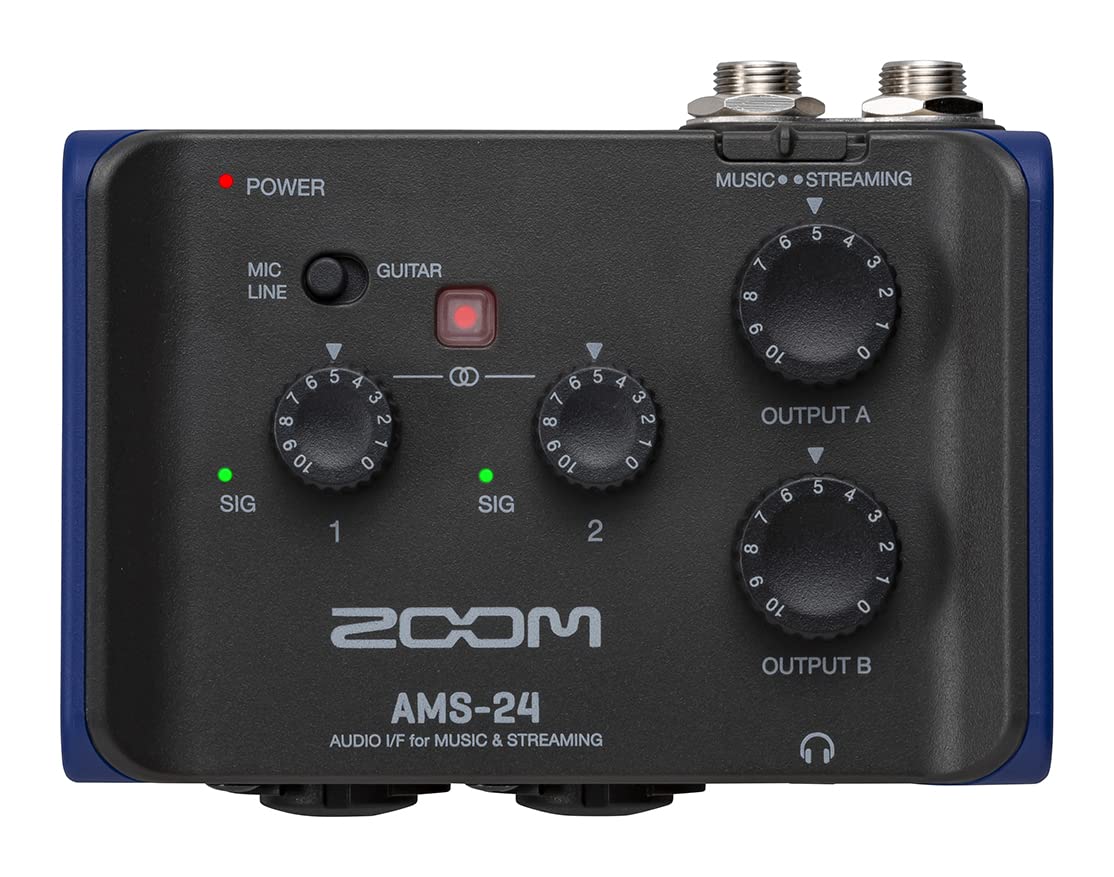
The Zoom AMS-24 is a compact 2-in/4-out USB audio interface for recording, podcasting, livestreaming, and mobile content creation. It connects microphones, instruments, keyboards, and other compatible audio sources to a computer, smartphone, or tablet. Its two XLR/TRS combo inputs and dual headphone outputs support practical solo and two-person setups.
For music production, the AMS-24 Music mode sends its two inputs separately to a DAW for individual-track recording. It also supports separate computer playback routing to headphone outputs A and B, helping a performer and an operator monitor different program material. A dedicated Stereo Link switch can pair Inputs 1 and 2 for stereo sources such as keyboards.
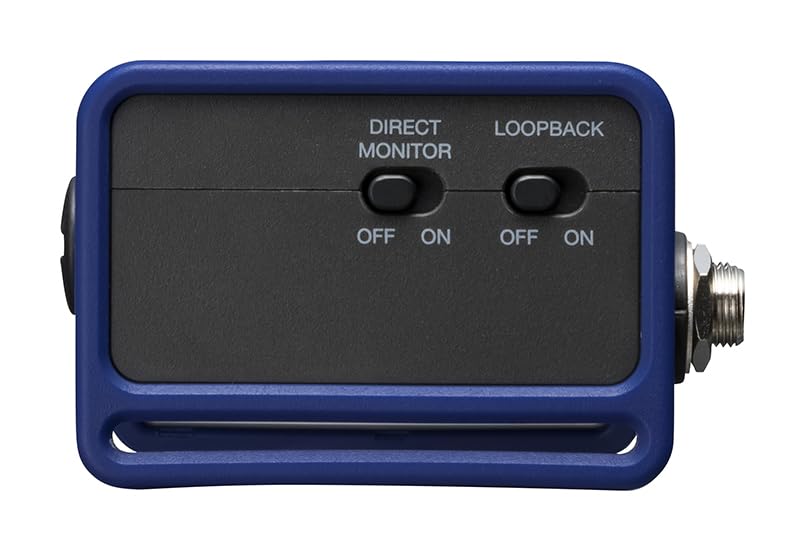
For livestreaming and podcast workflows, Streaming mode combines the input signals into a stereo feed for the connected device. The onboard Loopback switch can return a mix of interface inputs and computer playback to the computer, useful when incorporating permitted background audio into a stream. Hardware switches keep key routing functions accessible without requiring an additional software mixer.
Zoom equips the AMS-24 with built-in mic preamps, up to 58 dB of input gain, and support for 24-bit audio at sampling rates up to 96 kHz. Input 1 includes a selectable Hi-Z setting for a passive guitar or bass, while +48V phantom power supports compatible condenser microphones through the XLR connections. Direct monitoring routes input sound to headphones before it passes through the connected device, avoiding monitoring latency.
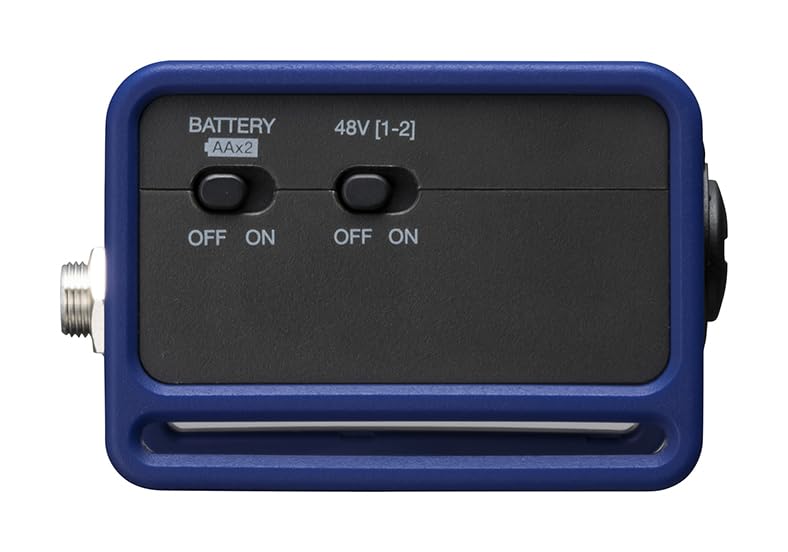
The interface fits easily into desktop, portable recording, and creator rigs. Its USB-C audio connection supports PC, Mac, iOS, and Android devices, while USB bus power works with computers. For use with smartphones and tablets, it can be powered by two AA batteries, a Zoom AD-17 adapter, or a compatible USB mobile battery.
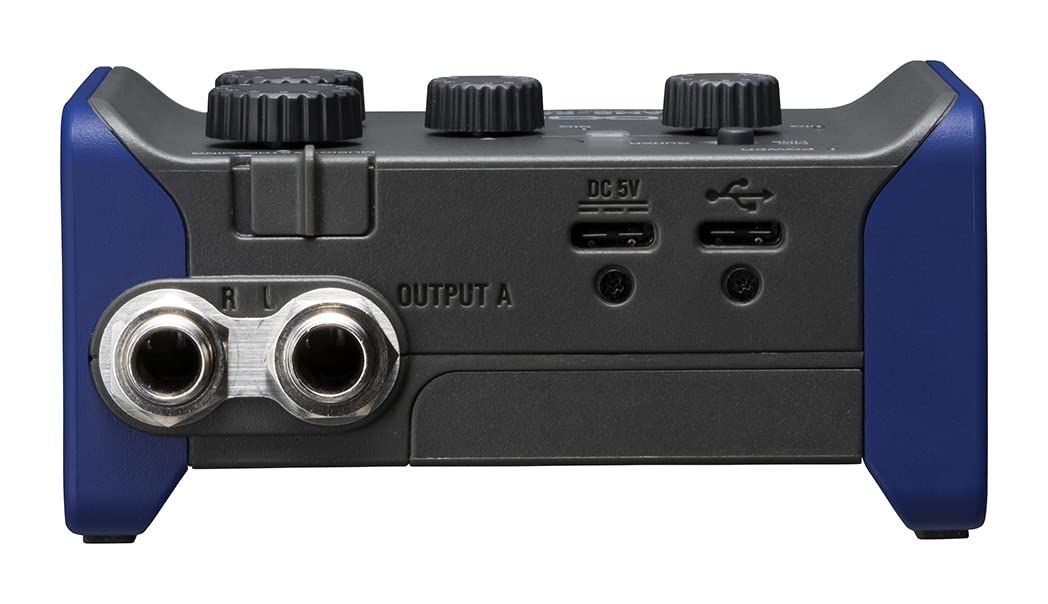
The AMS-24 uses a compact desktop-oriented design with front-panel combo inputs and headphone jacks, rear-panel monitor outputs, and dedicated physical switches for phantom power, direct monitoring, loopback, battery operation, stereo linking, and operating mode. Gain controls, output level controls, input level indicators, and a power indicator provide direct status and adjustment. Zoom does not specify enclosure materials in its published specifications.
Connect microphones or instruments to Inputs 1 and 2, headphones to Outputs A and B, and powered monitors to the rear TRS outputs. Use the USB-C audio port for a computer or mobile device, and use a data-capable USB cable; Windows DAW recording requires the dedicated Zoom AMS-24 driver, while Mac does not require a driver. When using a smartphone or tablet, supply external power or install two AA batteries before connecting the mobile device.
| Brand | Zoom |
|---|---|
| Model | AMS-24 |
| SKU | ZAMS24 |
| UPC | 884354025953 |
| Audio Interface Type | USB audio interface |
| Input Channels | 2 mono MIC/LINE channels |
| TRS Output Channels | 1 stereo output |
| Headphone Output Channels | 2 stereo outputs |
| Recording Channels | 2 channels |
| Playback Channels | 4 channels |
| Input Connectors | 2 x XLR/TRS combo jacks |
| XLR Wiring | Pin 2 hot |
| TRS Input Wiring | Tip hot |
| Input Gain | −∞ to +58 dB |
| Guitar Input Gain | −∞ to +50 dB |
| XLR Input Impedance | 2.7 kΩ |
| TRS Input Impedance | 18 kΩ |
| Hi-Z Guitar Input Impedance | 330 kΩ |
| XLR Maximum Input Level | +6 dBu |
| TRS Maximum Input Level | +22 dBu |
| Hi-Z Guitar Maximum Input Level | +8.5 dBu |
| Phantom Power | +48 V |
| Guitar Compatibility | Input 1 selectable Hi-Z mode for passive guitar or bass |
| Stereo Link | Inputs 1 and 2 can operate as a stereo input |
| Main Output Connectors | TRS phone jacks, impedance balanced |
| Main Output Maximum Level | +10 dBu at 0 dBFS |
| Main Output Impedance | 100 Ω |
| Headphone Connectors | 2 x 3.5 mm stereo mini jacks |
| Headphone Output Power | 30 mW + 30 mW at 32 Ω load |
| Headphone Output Impedance | 10 Ω |
| Direct Monitoring | Hardware direct-monitor switch |
| Loopback | Hardware loopback switch |
| Operating Modes | Music and Streaming |
| USB Audio Port | USB Type-C |
| Power Input Port | USB Type-C, DC 5V |
| USB Interface | USB 2.0 |
| USB Audio Class | USB Audio Class 2.0 |
| Bit Depth | 24-bit |
| Supported Sampling Rates | 44.1, 48, 88.2, and 96 kHz |
| Frequency Response at 44.1 kHz | 20 Hz–20 kHz, ±1 dB |
| Frequency Response at 96 kHz | 20 Hz–40 kHz, ±1.5 dB |
| Equivalent Input Noise | −120 dBu or less, IHF-A, at +58 dB/150 Ω input |
| Computer Power | USB bus power supported |
| Battery Power | 2 AA alkaline, lithium, or rechargeable NiMH batteries |
| AC Adapter | Zoom AD-17, DC 5 V/1 A |
| USB/AC Adapter Rated Current | 380 mA at 5 V |
| Battery Rated Current | 470 mA at 2.4 V |
| Alkaline Battery Life | About 4 hours; 44.1 kHz, phantom power off, 32 Ω headphone load |
| NiMH Battery Life | About 5.5 hours with 1900 mAh cells; 44.1 kHz, phantom power off, 32 Ω headphone load |
| Lithium Battery Life | About 11 hours; 44.1 kHz, phantom power off, 32 Ω headphone load |
| Maximum Power Consumption | 5 W |
| Width | 94.5 mm |
| Depth | 74.0 mm |
| Height | 46.0 mm |
| Weight | 134 g, unit only |
| Weight With Batteries | 180 g |
| Device Compatibility | PC, Mac, iOS, and Android |
| Windows Driver | Dedicated AMS-24 driver required for DAW recording |
| Mac Driver | No driver required |
| Included Accessories | USB-C cable and Quick Tour |
Yes. It connects by USB-C and supports PC and Mac operation. Zoom states that a dedicated AMS-24 driver is required for DAW recording on Windows, while a driver is not necessary on Mac.
Yes. The AMS-24 supports iOS and Android devices. When using a smartphone or tablet, the interface must be powered by batteries or an external power source before the mobile device is connected.
Yes. Input 1 has a GUITAR setting that enables high-impedance operation for a passive guitar or bass. Input 2 is for mic/line sources.
Yes. The AMS-24 has two 3.5mm stereo headphone outputs, labeled A and B. Output A has its own level control, and Output B has a separate level control.
Yes, compatible condenser microphones can use the AMS-24's +48V phantom power through the XLR input connections. Phantom power is applied to both Inputs 1 and 2 simultaneously.
Zoom lists the AMS-24 interface, a USB-C cable, and a Quick Tour in the box. Microphones, headphones, instruments, batteries, monitors, and the optional AD-17 power adapter are not listed as included.
Zoom AMS-24 2-In/4-Out USB Audio Interface
Shop all Arturia
 Shop all Arturia
 Shop all Arturia
 Shop all Arturia

 Shop all PreSonus
 Shop all PreSonus
 Shop all PreSonus
 Shop all PreSonus
 Shop all PreSonus
 Shop all PreSonus
 Shop all PreSonus
 Shop all PreSonus
 Shop all PreSonus
 Shop all Fender
 Shop all Fender
 Shop all Fender
 Shop all Fender
 Shop all Rode
 Shop all Shure
 Shop all Shure